OVERVIEW.
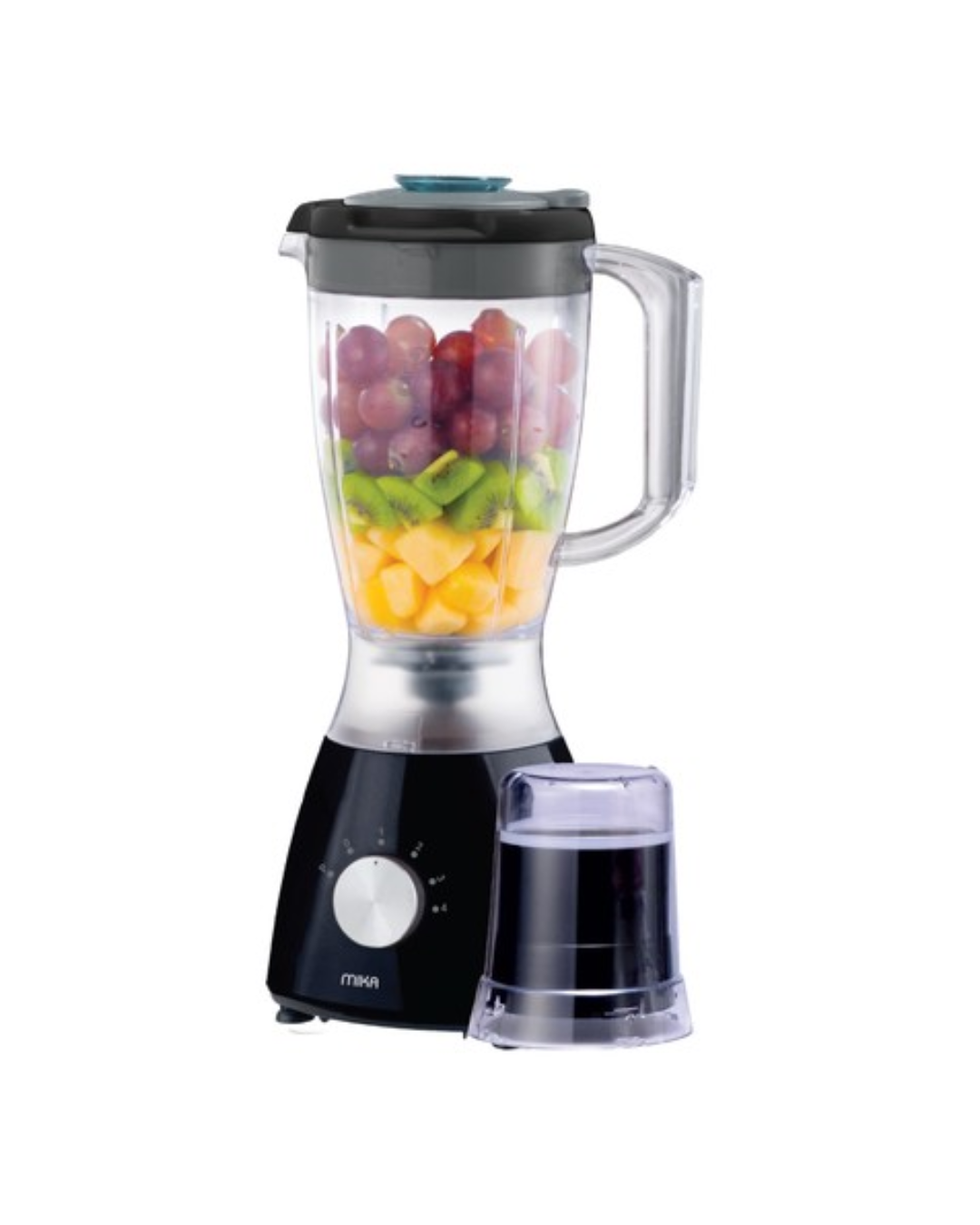
- Multifunctional 2 in 1 Blender with grinder - for milling spices, coffee beans, nuts, etc.
- Blender Spout selector:
- Closed - completely sealed Blending, for a splatter free process with no spills.
- Open - allows for easy transferring of blended ingredients.
- Strainer - easily separate pulp, seeds or unwanted particles from the blend when pouring.
- Suction Feet - for better grip and reduced vibration
General Features
- Power: 400W Blender motor - durable and efficient for all your blending & grinding needs.
- 4 Speed Blender with Pulse function - more control over blending speeds for the exact desired texture.
- Durable Stainless steel blades - long lasting sharpness for a consistent blending experience.
- Safety lock switch - blender will not start unless correctly locked in.
- Unbreakable blender jar - no worries of accidentally dropping the jar.
- Capacity: 1.5L Blender
- Black
Shipping Policy
Galaxy Hub Electronics – Shipping Policy
1. Delivery Areas
We deliver across Kenya.
2. Processing Time
- Orders are processed within 1–2 business days
3. Delivery Time
- Nairobi: Same day or next day delivery
- Outside Nairobi: 2–5 business days
4. Shipping Fees
- Shipping costs are calculated at checkout based on location
5. Order Tracking
Customers will receive updates via SMS or email once the order is dispatched.
6. Delays
Delivery times may be affected by:
- Weather conditions
- Courier delays
- Public holidays
Returns & Refund Policy
Galaxy Hub Electronics – Returns & Refund Policy
1. Return Eligibility
You may return a product if:
- It is defective or damaged
- It is incorrect (not what you ordered)
- It is unused and in original packaging
2. Return Period
- Returns must be initiated within 7 days of delivery
3. Non-Returnable Items
- Used or damaged items (not due to defect)
- Items without original packaging
4. Refunds
- Refunds are processed within 5–7 business days after approval
- Refunds are issued via the original payment method
5. Exchanges
We allow exchanges for defective or incorrect items.
6. Return Process
To initiate a return:
- Contact support with your order number
- Provide proof (images/videos if applicable)


 Amtec
Amtec
 Beats
Beats